
Players often want to change the movies in their Fantasy Box Office studios. It's one of the most common requests we get at our Contact Us page.
There are many reasons to add or drop movies. Sometimes players make a mistake while initially drafting. Sometimes players decide they'd have more fun if a movie was eliminated or added to their game. We've always been happy to make those changes, because there hasn't been a way for players to implement them directly – until now!
Starting today, League Commissioners can add or remove any movies from players' studio slates. Add or remove any kind of pick, at any time, regardless of whether a movie has released or what season it is. You could add dozens of movies onto a studio, or remove them all.
Introducing Edit Mode
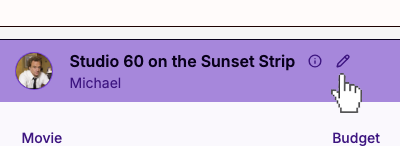
League Commissioners will now see a pencil button beside each player's name on the League Scoreboard. Click the pencil to enter Edit Mode.
In Edit Mode, click the red X to remove any movie from the studio, or use the "Add Pick" button to select a new one.
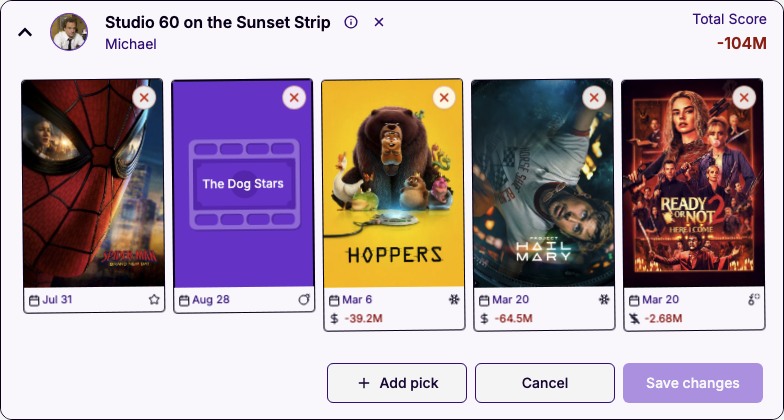
After making your changes, press "Save changes," or Cancel to back out. If any of the changes involve movies that have been released already, your league scores will be recalculated. (Recalculation can take a minute or so, so please be patient and refresh!)
Of course, all other players will get a notification whenever a League Commissioner makes any changes.
House Rules
Like our recent movie budget system update, this feature opens the door for leagues to create their own custom rules.
Want to trade movies between players? Add extra Bomb Picks throughout the year? Let Alt Picks replace underperforming picks if they earn more? Now your League Commissioner can make it happen.
Of course, all this is optional. If you prefer to stick with the standard rules, nothing changes. But for the players brimming with gameplay ideas, now your group has more flexibility to play the game how you want.
If you've got any other ideas for fun mechanics, please tell us! We'd love to hear them.